Home >
Community >
How does one export a PDB structure to SVG?
Upvote
20
Downvote
+ Software
Posted by
Nick Fi
How does one export a PDB structure to SVG?
If you haven't found answer till now, you can use VESTA (Visualization for Electronic and STructural Analysis) package. It is a freeware and can be downloaded from
http://jp-minerals.org/vesta/en/
It is available for both Windows and Linux. It can be used to import any many structural files (pdb included) and get an output in any supported format(which includes SVG). From their website:
VESTA is a 3D visualization program for structural models, volumetric data such as electron/nuclear densities, and crystal morphologies.
However, if you do not strictly require SVG format them my personal favorite is "QuteMol". It gives way too many options to adjust visual representation
It is an open source (citeware, i.e. you have to cite their paper for any academic publishing) molecular rendering software available from:
It can generate PNG, JPEG anf GIF(animated) images of maximum dimensions up to 8192x8192 pixels so you can use them for high resolution printing/posters etc. too. One small flaw is that it is rather ill maintained and considerable amount of bugs are there.For e.g. using default options is fine but in case you want to use customized colour scheme then their example ART(atomic rendering table, just a table of atomic symbols, their radii, and colour in RGB codes) file gives following example:
X 0 0.853 204 0 0
H 1 0.930 199 199 199
He 2 1.085 107 115 140
Li 3 3.100 0 128 128
However in reality you will require 2 colums of radii for programme to recognize it (core and vander waal radii). Similarly atomic symbols with single alphabet are not rendered properly!!! But all these problems have work around and results are worth it (specially for large protein molecules).
sample this:
(source: sourceforge.net)
If you haven't found answer till now, you can use VESTA (Visualization for Electronic and STructural Analysis) package. It is a freeware and can be downloaded from http://jp-minerals.org/vesta/en/
It is available for both Windows and Linux. It can be used to import any many structural files (pdb included) and get an output in any supported format(which includes SVG). From their website:
VESTA is a 3D visualization program for structural models, volumetric data such as electron/nuclear densities, and crystal morphologies.
However, if you do not strictly require SVG format them my personal favorite is "QuteMol". It gives way too many options to adjust visual representationIt is an open source (citeware, i.e. you have to cite their paper for any academic publishing) molecular rendering software available from:
It can generate PNG, JPEG anf GIF(animated) images of maximum dimensions up to 8192x8192 pixels so you can use them for high resolution printing/posters etc. too. One small flaw is that it is rather ill maintained and considerable amount of bugs are there.For e.g. using default options is fine but in case you want to use customized colour scheme then their example ART(atomic rendering table, just a table of atomic symbols, their radii, and colour in RGB codes) file gives following example:
X 0 0.853 204 0 0
H 1 0.930 199 199 199
He 2 1.085 107 115 140
Li 3 3.100 0 128 128
However in reality you will require 2 colums of radii for programme to recognize it (core and vander waal radii). Similarly atomic symbols with single alphabet are not rendered properly!!! But all these problems have work around and results are worth it (specially for large protein molecules).sample this: (source: sourceforge.net)
Updated as per suggested. I have tried to restrict answer to free/ open source software only as i believe thats what the user wanted to ask. As in case of paid softwares lot many options creep upMore


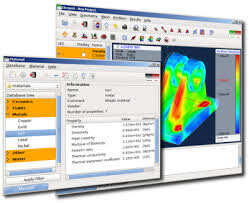


If you haven't found answer till now, you can use VESTA (Visualization for Electronic and STructural Analysis) package. It is a freeware and can be downloaded from http://jp-minerals.org/vesta/en/
It is available for both Windows and Linux. It can be used to import any many structural files (pdb included) and get an output in any supported format(which includes SVG). From their website:
However, if you do not strictly require SVG format them my personal favorite is "QuteMol". It gives way too many options to adjust visual representation It is an open source (citeware, i.e. you have to cite their paper for any academic publishing) molecular rendering software available from:
http://qutemol.sourceforge.net/
It can generate PNG, JPEG anf GIF(animated) images of maximum dimensions up to 8192x8192 pixels so you can use them for high resolution printing/posters etc. too. One small flaw is that it is rather ill maintained and considerable amount of bugs are there.For e.g. using default options is fine but in case you want to use customized colour scheme then their example ART(atomic rendering table, just a table of atomic symbols, their radii, and colour in RGB codes) file gives following example:
However in reality you will require 2 colums of radii for programme to recognize it (core and vander waal radii). Similarly atomic symbols with single alphabet are not rendered properly!!! But all these problems have work around and results are worth it (specially for large protein molecules). sample this:
(source: sourceforge.net)
If you haven't found answer till now, you can use VESTA (Visualization for Electronic and STructural Analysis) package. It is a freeware and can be downloaded from http://jp-minerals.org/vesta/en/
It is available for both Windows and Linux. It can be used to import any many structural files (pdb included) and get an output in any supported format(which includes SVG). From their website:
However, if you do not strictly require SVG format them my personal favorite is "QuteMol". It gives way too many options to adjust visual representationIt is an open source (citeware, i.e. you have to cite their paper for any academic publishing) molecular rendering software available from:
http://qutemol.sourceforge.net/
It can generate PNG, JPEG anf GIF(animated) images of maximum dimensions up to 8192x8192 pixels so you can use them for high resolution printing/posters etc. too. One small flaw is that it is rather ill maintained and considerable amount of bugs are there.For e.g. using default options is fine but in case you want to use customized colour scheme then their example ART(atomic rendering table, just a table of atomic symbols, their radii, and colour in RGB codes) file gives following example:
However in reality you will require 2 colums of radii for programme to recognize it (core and vander waal radii). Similarly atomic symbols with single alphabet are not rendered properly!!! But all these problems have work around and results are worth it (specially for large protein molecules).sample this:
(source: sourceforge.net)
More
VOTE
VOTE